Conditional content block
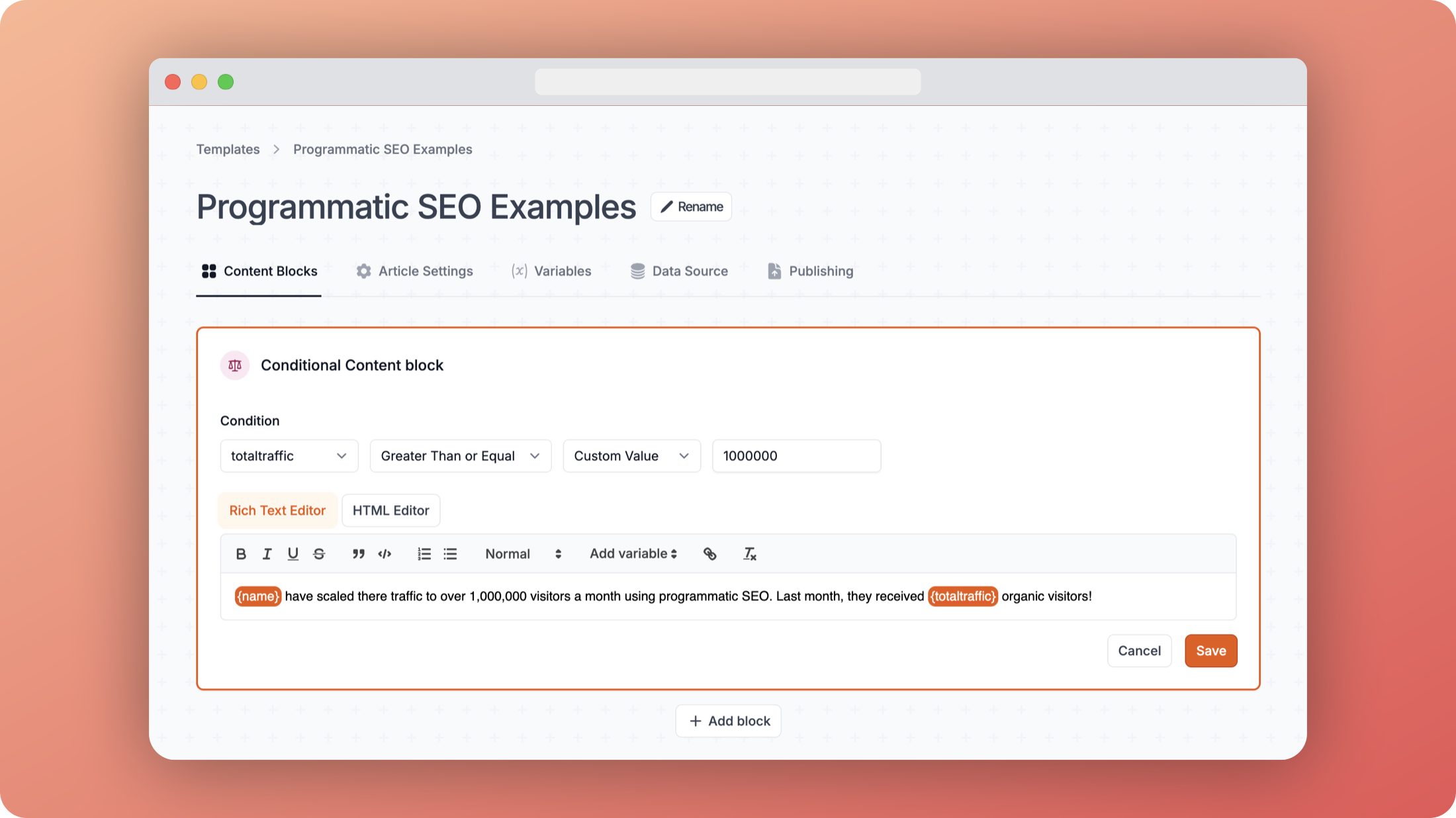
The conditional content block is an extension of the standard content block. It allows you to write a block of text that will only appear if a certain condition is met.
Available conditions
You can use the following conditions to control when your content appears:
- Not Empty - Shows the content when the field has any value
- Empty - Shows the content when the field is empty/null
- Equals - Shows when the field exactly matches a value
- Not Equals - Shows when the field does not match a value
- Greater Than - Shows when the field is larger than a value
- Less Than - Shows when the field is smaller than a value
- Greater Than or Equal - Shows when the field is larger than or equal to a value
- Less Than or Equal - Shows when the field is smaller than or equal to a value
Comparison types
You can compare a field against:
- Custom value - Enter any value to compare against (e.g. show when
totaltraffic > 1000000) - Another field - Select another field to compare against (e.g. show when
current_month_traffic > last_month_traffic)
Examples
Here are some common use case examples:
- Show a "High Traffic" message when
totaltraffic > 1000000 - Display special content when
subscription_type equals "premium" - Show a warning when
error_count is not empty - Compare
current_revenueagainsttarget_revenue